Football fans don't just watch matches any more. They want the numbers: expected goals, possession, passing accuracy, heatmaps, match ratings, and — above all — the eternal argument settled with data. Open a dashboard, line Lionel Messi up against Cristiano Ronaldo, and watch their goals, assists, and shots on target sit side by side while live scores tick over in the background.
It's a genuinely great project to build, because it forces you to solve the problems every real product has: a metered third-party API you can't hammer, data that has to feel live, search that has to feel instant, and a cost model that survives a traffic spike. In this tutorial we'll build a real-time football stats dashboard with React, Firestore, a football API, and a small Cloud Function doing the unglamorous work in the middle.
The single most important decision is the one most beginners get wrong, so we'll lead with it: don't call the football API from React. Cache it in Firestore and let the browser read from there. Everything else in this build follows from that one choice.
1 What We're Building
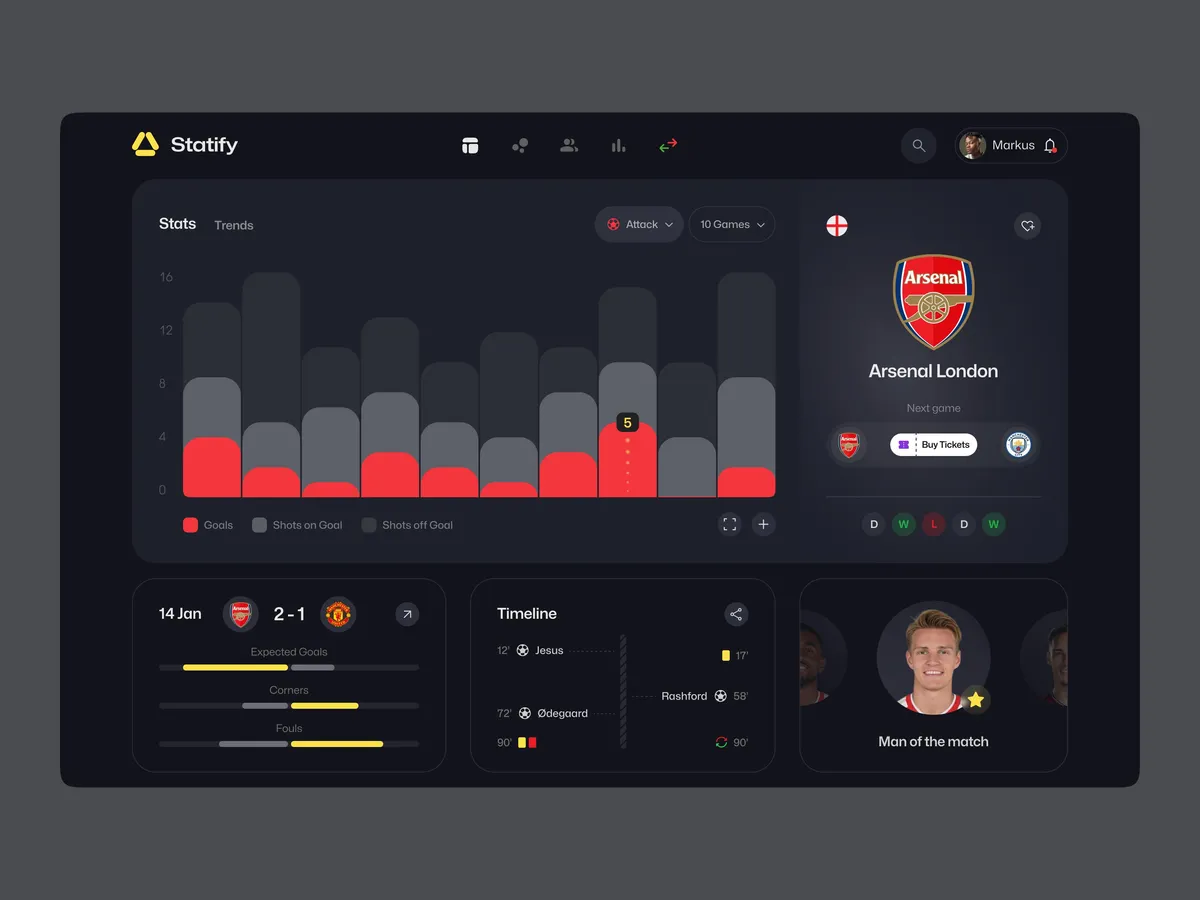
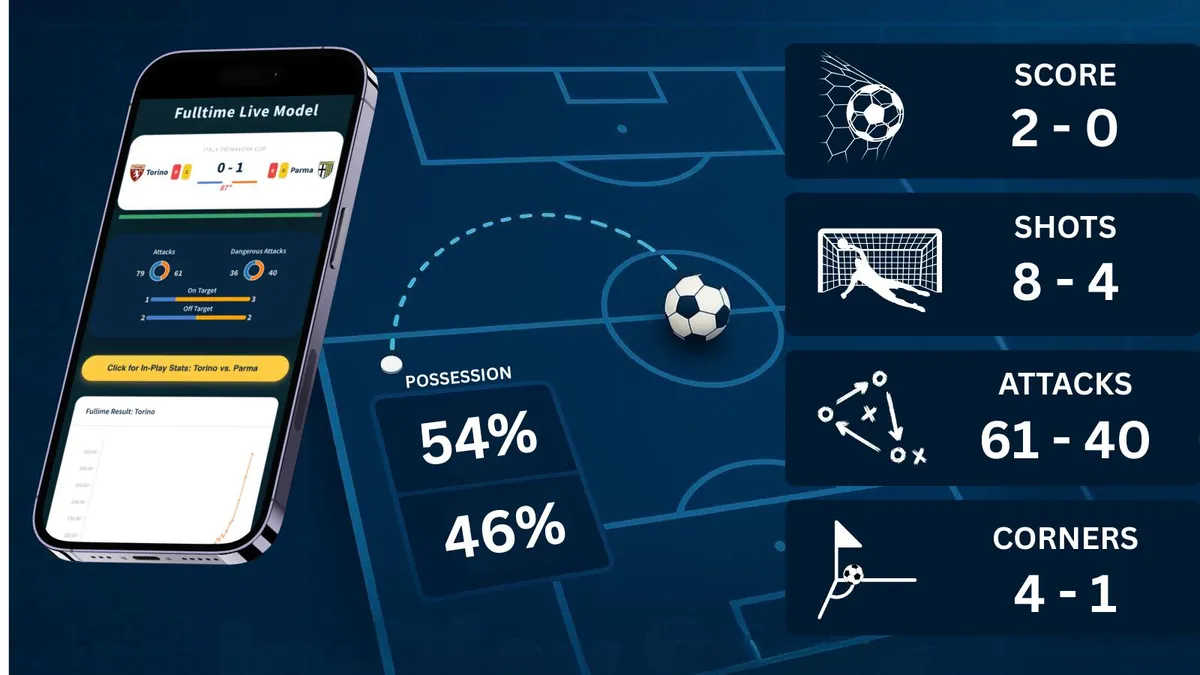
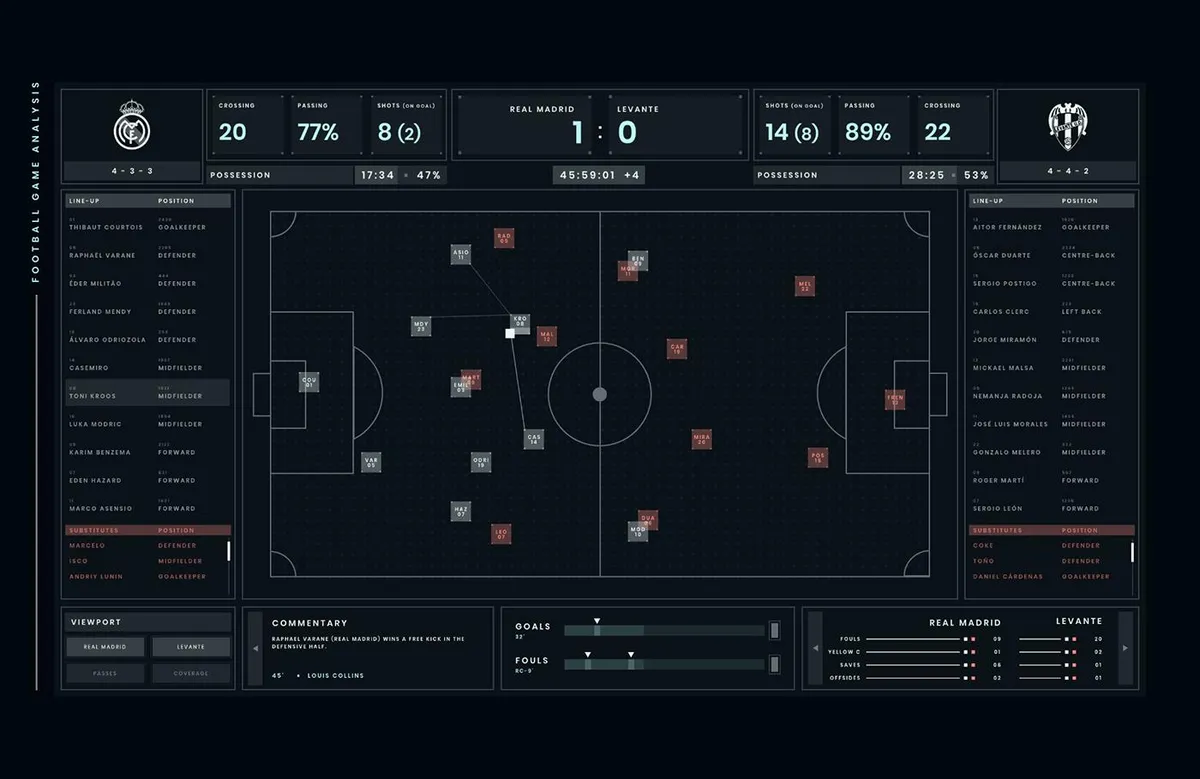
The dashboard is a single-page React app with a handful of panels, each backed by a Firestore collection:
- Live match scores that update without a refresh
- Top scorers leaderboard
- League standings table
- Instant player search
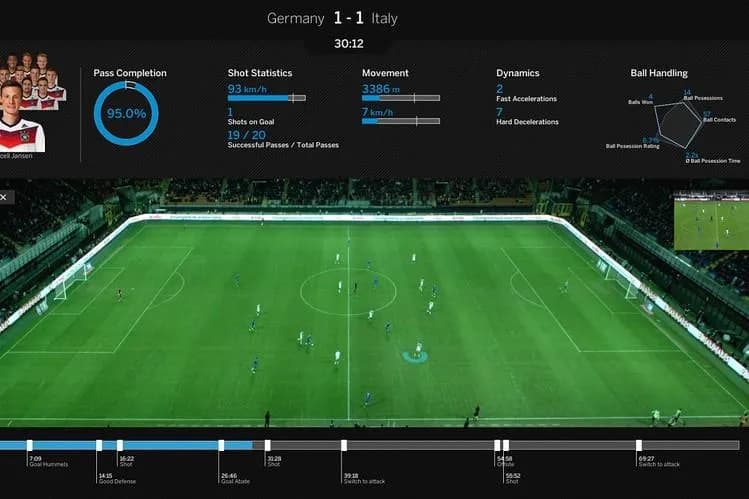
- A Messi vs Ronaldo comparison card
- Charts for goals, xG, and possession trends
Mobile-responsive, real-time, and fast to load. Here's the rough shape of the screen before we wire anything up:
Dashboard layout
2 The Architecture: Cache in Firestore, Don't Hammer the API
The naive version of this app calls the football API straight from the React components. It works in a demo and falls apart in production: you exhaust the API's rate limit the moment you have real users, every browser ships your API key in plain sight, and the same data gets fetched thousands of redundant times.
The fix is to put Firestore in the middle as a cache. A scheduled Cloud Function calls the API every few minutes and writes the results into Firestore. React never touches the football API — it only reads from Firestore, and gets real-time sync and offline support thrown in.
The data flow
3 Choosing a Football API
Any of the major football data providers will do — they differ mostly in depth and price. Pick one with a free tier to prototype against.
| API | Good for | Notes |
|---|---|---|
| API-Football | Fixtures, players, standings | Generous free tier, live scores |
| Football-Data.org | Teams & competitions | Simple, great for learning |
| Sportmonks | Advanced analytics | xG, lineups, paid tiers |
| StatsBomb | Pro-grade event data | Deep, used by clubs |
Whichever you choose, the shape of a player record is roughly the same — a name, a team, and a bundle of counting stats:
{
  "player": "Lionel Messi",
  "team": "Inter Miami",
  "goals": 25,
  "assists": 12,
  "matches": 30
}
4 Modelling the Data in Firestore
Keep the structure flat and read-optimised. Each panel on the dashboard maps to one collection, so a component can subscribe to exactly what it needs and nothing more.
football (database)
│
├── players      ← one doc per player (messi, ronaldo, …)
├── matches      ← live + recent fixtures
├── standings    ← league tables
└── top_scorers  ← leaderboard
A single player document looks like this:
// players/messi
{
  "name": "Lionel Messi",
  "nameLower": "lionel messi",   // for prefix search (see §9)
  "team": "Argentina",
  "goals": 16,
  "assists": 8,
  "appearances": 25,
  "updatedAt": 1718900000
}
The nameLower field is a small detail that pays off later — it's what makes instant search possible without a separate search service.
5 Syncing the API into Firestore
A scheduled Cloud Function is the only piece of the system that talks to the football API. It runs on a fixed interval, fetches fresh data, and writes it into Firestore with the Admin SDK — which runs with full privileges, so the client never needs write access at all.
const { onSchedule } = require("firebase-functions/v2/scheduler");
const { getFirestore } = require("firebase-admin/firestore");
const axios = require("axios");

const db = getFirestore();

// Runs every 5 minutes, server-side, with the API key safely on the server.
exports.syncPlayers = onSchedule("every 5 minutes", async () => {
  const { data } = await axios.get(API_URL, {
    headers: { "x-api-key": process.env.FOOTBALL_API_KEY },
  });

  const batch = db.batch();
  for (const player of data.players) {
    const ref = db.collection("players").doc(player.id);
    batch.set(ref, {
      name: player.name,
      nameLower: player.name.toLowerCase(),
      team: player.team,
      goals: player.goals,
      assists: player.assists,
      appearances: player.appearances,
      updatedAt: Date.now(),
    });
  }
  await batch.commit();
});
Batching the writes keeps it to a single round trip, and the interval is yours to tune — every few minutes for stats, down to near real-time for live scores during a match. The API quota is now a function of the schedule, not of how many people are watching.
6 Real-Time Updates in React
This is the part that feels like magic and is genuinely a few lines. React subscribes to a Firestore collection with onSnapshot, and from then on any change the Cloud Function writes is pushed straight to the component.
import { useEffect, useState } from "react";
import { collection, onSnapshot } from "firebase/firestore";
import { db } from "./firebase";

function LiveMatches() {
  const [matches, setMatches] = useState([]);

  useEffect(() => {
    const unsubscribe = onSnapshot(
      collection(db, "matches"),
      (snapshot) => {
        setMatches(snapshot.docs.map((d) => ({ id: d.id, ...d.data() })));
      }
    );
    return unsubscribe; // clean up the listener on unmount
  }, []);

  return matches.map((m) => (
    <ScoreCard key={m.id} home={m.home} away={m.away} score={m.score} />
  ));
}
No polling, no refresh button, no stale data. The moment a goal is scored and the Cloud Function updates the document, the chain fires end to end:
What happens when a goal is scored
7 The Messi vs Ronaldo Comparison
The comparison card is reliably the most-visited part of any football analytics site, and it's trivial once the data is in Firestore — you read two player documents and lay their fields out next to each other. The numbers below are illustrative career totals; in the live app they come straight from whatever the API last wrote.


| Stat | Messi | Ronaldo |
|---|---|---|
| Career goals (approx.) | 850+ | 900+ |
| Assists | Elite | Elite |
| Free kicks | Elite | Elite |
| International goals | Record level | Record level |
The component itself is just two Firestore reads and a render:
import { doc, getDoc } from "firebase/firestore";

async function loadComparison() {
  const [messi, ronaldo] = await Promise.all([
    getDoc(doc(db, "players", "messi")),
    getDoc(doc(db, "players", "ronaldo")),
  ]);
  return { messi: messi.data(), ronaldo: ronaldo.data() };
}
8 Adding Interactive Charts
Numbers in a table are fine; trends want a chart. Chart.js (through react-chartjs-2) covers everything this dashboard needs — goals per season, goal distribution, possession, xG.
import { Line } from "react-chartjs-2";

const goalData = {
  labels: ["2019", "2020", "2021", "2022", "2023"],
  datasets: [
    { label: "Messi",   data: [36, 31, 38, 35, 21] },
    { label: "Ronaldo", data: [39, 36, 29, 24, 35] },
  ],
};

<Line data={goalData} />;
Swap Line for Bar or Pie and you have team possession or goal-distribution views with the same data shape. Keep the chart components lazy-loaded (§9) — Chart.js is heavy and most users never scroll to every chart.
9 Search, Pagination, and Performance
Instant player search
Firestore has no full-text search, but prefix matching is cheap and feels instant. This is where that nameLower field earns its keep — the \uf8ff character is a high code point that bounds the range:
import { collection, query, where, limit } from "firebase/firestore";

const term = search.toLowerCase();
const q = query(
  collection(db, "players"),
  where("nameLower", ">=", term),
  where("nameLower", "<=", term + "\uf8ff"),
  limit(20)
);
For typo-tolerant or fuzzy search, graduate to Algolia or Typesense — but for “type a name, see matches,” this is enough.
Paginate and lazy-load
Cap every list query with limit(20) and page with startAfter(). Lazy-load the heavy chart bundles so they don't block first paint:
import { lazy, Suspense } from "react";
const Charts = lazy(() => import("./Charts"));

<Suspense fallback={<Spinner />}>
  <Charts player={player} />
</Suspense>;
Create the indexes
Any compound query — search plus an orderBy, standings filtered by league and sorted by points — needs a composite index. Firestore throws an error with a one-click link to create it the first time you run the query. Don't skip these; they're the difference between a fast read and a slow one.
10 Security Rules and Deployment
Because the client only ever reads, the security rules are refreshingly strict: everyone can read, nobody can write. The only writer is the Cloud Function, and the Admin SDK bypasses rules entirely — so there is no legitimate reason to ever allow a client write.
rules_version = "2";
service cloud.firestore {
  match /databases/{database}/documents {

    match /players/{id} {
      allow read: if true;     // public stats
      allow write: if false;   // only the Cloud Function (Admin SDK) writes
    }

    match /matches/{id} {
      allow read: if true;
      allow write: if false;
    }
  }
}
That single allow write: if false closes the door on anyone tampering with scores or injecting fake players from the browser console. Keep the API key in the function's environment config, never in client code.
Deployment is two independent pipelines. The React app ships to Vercel (or Firebase Hosting) on every push to main; the Cloud Functions deploy with firebase deploy --only functions. The frontend and the sync job evolve separately, which is exactly what you want.
Scaling for Tournament Night
The architecture already absorbs most of a traffic spike, because reads come from Firestore rather than the upstream API — the quota that would normally break first is never on the request path. When you genuinely outgrow the basics, you add layers rather than rewrite:
- A CDN edge cache (Cloudflare, Vercel Edge) in front of the read path, so the hottest data is served from the edge.
- A Redis layer for the few documents everyone hits at once — the live match, the top scorers — to shave reads off Firestore during the peak.
- Background queue workers for heavy aggregation (season xG, head-to-head history) so it happens off the request path and lands in Firestore pre-computed.
None of those are needed to launch. They're the moves you reach for when a World Cup final pushes you past what the simple version comfortably handles — and the simple version handles a lot.
Frequently Asked Questions
- Why cache the football API in Firestore instead of calling it from React?
- Football APIs are rate-limited and metered, so calling them from every browser burns your quota and leaks your API key. Routing through a scheduled Cloud Function means you call the API a few times a minute regardless of user count, cache the result in Firestore, and let clients read the cached copy — with real-time sync and offline support for free.
- How do live scores update without refreshing the page?
- Firestore's
onSnapshotlistener. The component subscribes to a collection; when the Cloud Function writes a new score, Firestore pushes the change to every connected client and React re-renders. No polling, no manual refresh. - Should the React client write to Firestore directly?
- No. The client only reads. All writes happen server-side in the Cloud Function via the Admin SDK, which lets you set
allow write: if falsefor clients, so nobody can tamper with scores or inject fake players from the browser. - How do you implement instant player search in Firestore?
- Store a lowercased name field and query a range:
where("nameLower", ">=", term)andwhere("nameLower", "<=", term + "\uf8ff"). The\uf8ffcharacter bounds the range so you get every name starting with the term. Use Algolia or Typesense for fuzzy search. - Can this dashboard handle traffic spikes during a major tournament?
- Yes. Reads come from Firestore, not the upstream API, so the API quota is never the bottleneck. For very large spikes, add a CDN edge cache, optionally Redis for the hottest documents, and move heavy aggregation into background queue workers. Firestore scales reads automatically.
About the author — Kajal Pansuriya
Kajal writes ShareCode's frontend and React tutorials, with a soft spot for projects that are fun to build and sneak in real engineering — data fetching, caching, real-time sync, and the performance work that keeps a dashboard fast once real users show up.
Final Thoughts
A football stats dashboard is the rare side project that's genuinely fun and quietly teaches you the patterns every real product needs: caching a third-party API behind your own data layer, pushing live updates without polling, keeping writes on a trusted server, and making search and charts feel instant. The football is the hook; the engineering is the part that transfers to whatever you build next.
If you want to go deeper on the pieces this build leans on, our writeup of Firebase Authentication internals covers locking the whole thing down once you add user accounts, and how real-time sync works under the hood explains what's really happening underneath that onSnapshot listener.
References & Sources
The primary sources, specifications, and documentation behind this article. Each link opens in a new tab.
- Cloud Firestore — Get realtime updates with onSnapshot
Firebase
The listener API that pushes document changes to every connected client — the core of any real-time dashboard.
firebase.google.com - Schedule functions with Cloud Scheduler
Firebase
How to run a Cloud Function on a fixed interval — the mechanism behind the API-to-Firestore sync job.
firebase.google.com - Get started with Cloud Firestore Security Rules
Firebase
The rules language that keeps client writes out and lets only the trusted server populate your data.
firebase.google.com - API-Football v3 Documentation
API-Football
Fixtures, players, standings, and live scores — a representative example of the football data APIs this dashboard consumes.
api-football.com - Chart.js Documentation
Chart.js
The charting library behind the goals-per-season, xG, and possession visualisations.
chartjs.org - Best practices for Cloud Firestore
Firebase
Indexing, query limits, and data-modelling guidance that keeps reads fast as the dataset grows.
firebase.google.com
Published Jun 20, 2026
About the writers
Developer educator at ShareCode. Writes the tutorial track — Python, JavaScript debugging, coding-interview prep, and the everyday code-quality habits that hold up in real codebases.
More from Kajal
Founder of ShareCode. Writes the engineering deep-dives on this site — WebRTC, Firebase Auth, real-time sync, and the production patterns behind the editor itself.
More from Kishan
Try it now
Build the comparison card in a shared code space
Drop the onSnapshot snippet from §6 and the comparison component from §7 into a ShareCode editor, share the link, and prototype the live-update flow with a teammate — the fastest way to feel how Firestore's real-time listeners actually behave.
Open a code space →